Advantages
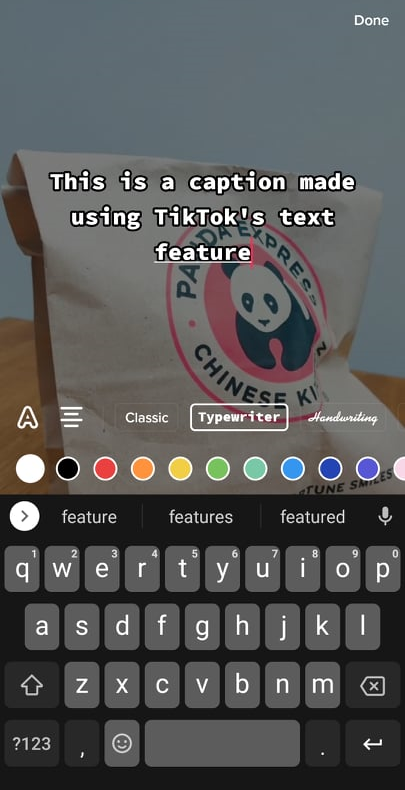
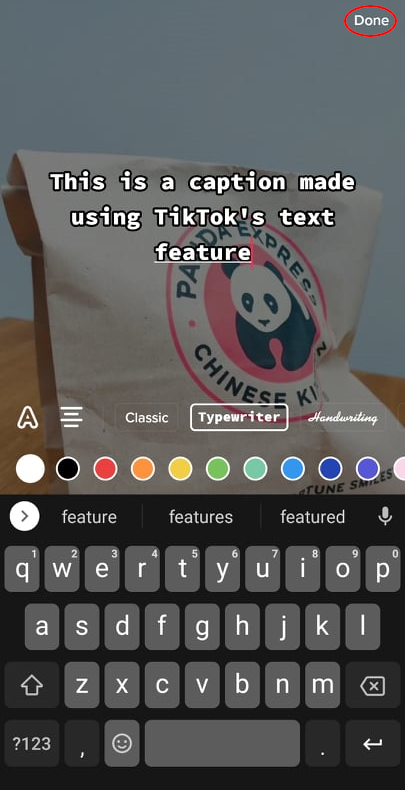
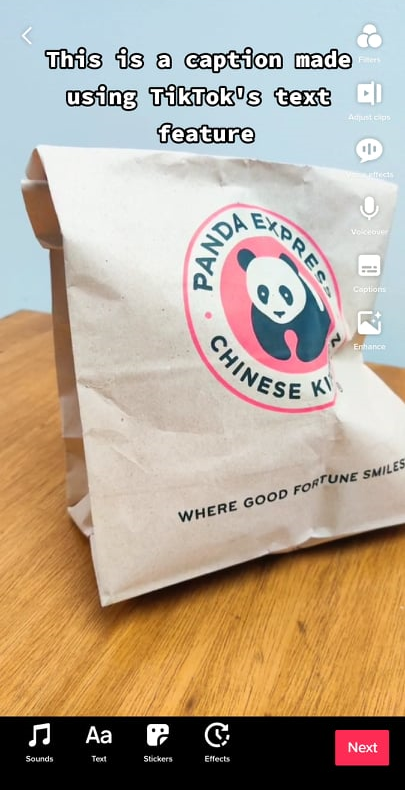
- More customizable than the built-in auto-captioning feature
- You can quickly modify font type, size, and color
- You can move the text anywhere on the video
- Can be done within the TikTok app
Disadvantages
- Can be time-consuming and tedious
- Built-in customization options are limited compared to a third-party video editor
3. Third-party video editor
Learning how to add more captions on TikTok can sometimes mean doing it outside of TikTok. If you want the most flexible and versatile method of adding subtitles, you can use a third-party video editor.
The biggest advantage of using a third-party video editor is having a lot more font options than TikTok. This is especially when you use desktop-based video editing software.
To perform this method:
- Record your video clips on your phone (or any video recording device).
- If you will use a video editor on a computer, transfer the footage to your device.
- Open your video editor and import the footage.
- Arrange and edit the clips with your desired effects.
- Add subtitles using your video editor’s text feature. Set the font type, size, color, and position as desired.
- Render and upload the video to TikTok. If you’re using a PC or Mac, you can upload your video into a desktop version of the TikTok app.
Advantages
- Most flexible method in terms of customization options
- Significantly more font type, size, color, and animation choices
Disadvantages
- Most time-consuming method – the method involves additional steps (recording, editing, and rendering)
- Options may vary with every video editor
Learning how to add captions to your content can help you with more than just TikTok – it can be instrumental to your long-term content creation plan. However, making captions for all your videos can take away a lot of time and energy that you could use in making your next viral content. Instead of taking on the tedium, consider using FreeTranscriptions! to create your transcripts for you which can make it easier to create captions for your TikTok clips.